
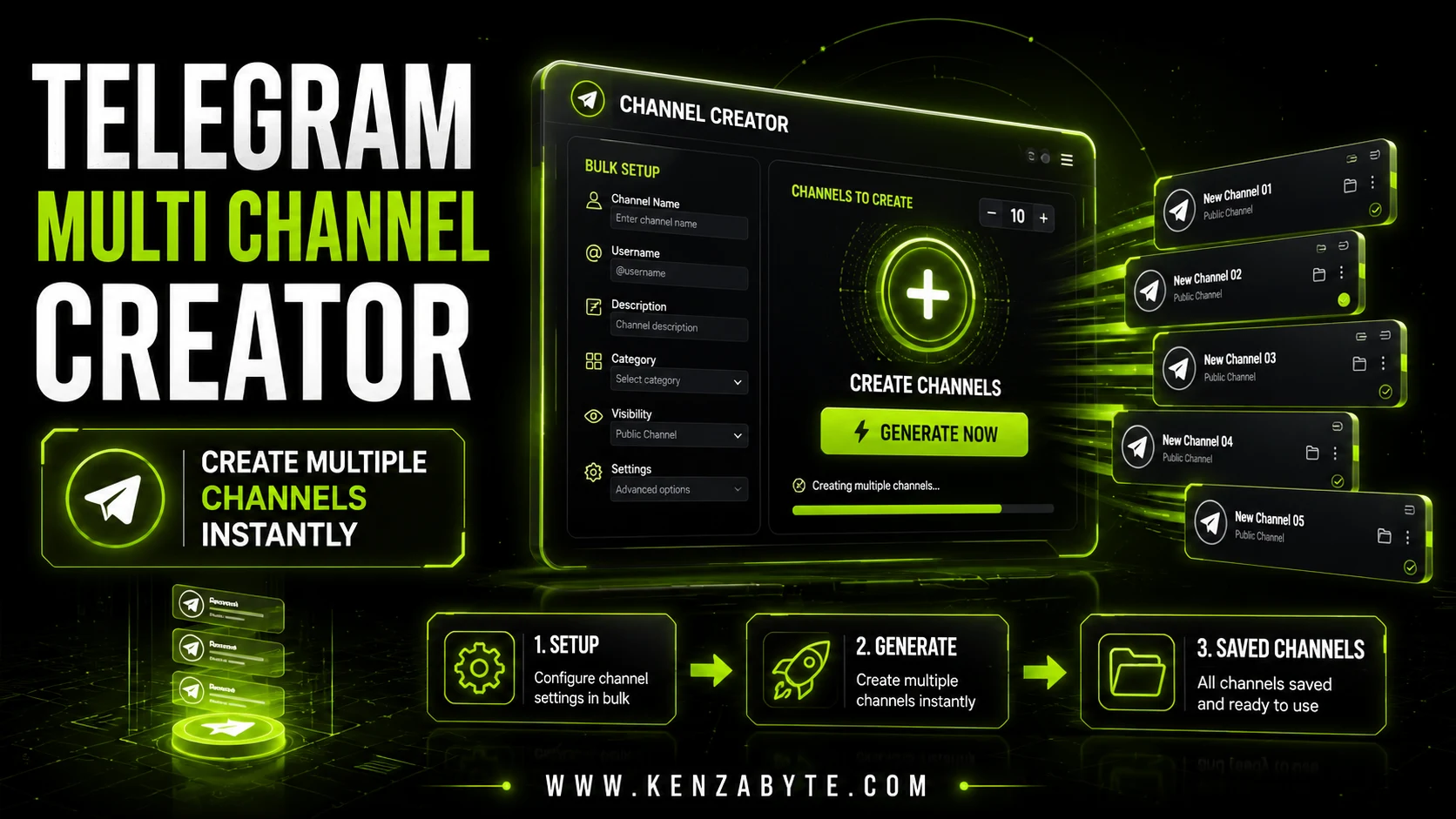
Telegram Channel Creator Tool

Bulk Telegram Channel Creation Software

Creating Telegram channels one by one can take time when you need to manage several channels. Kenza Byte's Telegram Channel Creator helps simplify the process with features for creating public and private channels, saving channel links, and managing supported account logins.

The tool is designed to make channel setup easier and help you keep channel details organized in one place. Check the available features and system requirements to see if it fits your needs.

Key Features of Telegram Channel Creator

Bulk Channel Creation

Create multiple Telegram channels using the software instead of setting up each channel manually.

Public and Private Channel Creation

Create public or private Telegram channels based on your needs.

Custom Channel Names and Usernames

Set custom channel names and usernames to help organize your channels.

Automatic Channel Link Saving

Save channel links automatically so you can find and access them later.

TXT and CSV Export

Save channel links and other available details in TXT or CSV files for easy reference.

Multi-Account Support

Use multiple supported Telegram accounts, if enabled by the software, to manage channel creation.

Multi-Language Support

Use channel names and descriptions in different languages, where supported.

Simple Automation

Start the process through the software and follow its progress as it creates channels using your selected settings.

telegram channel creator - create multiple telegram channels

How it Works ?

Create multiple Telegram channels with a simple setup process and save your channel details for later use.

1

Configure Your Setup

Choose how many Telegram channels to create and set the available channel names, usernames, and privacy options.

2

Start Channel Creation

Start the process from the software and let it create channels using your selected settings.

3

Export Your Channel Details

Save your created channel links and available details so you can find and manage them later.

WHY USE THIS TOOL?

Why Use a Telegram Channel Creator Tool?

Creating and managing multiple Telegram channels can take time, especially when you need to configure each channel separately. A channel creator tool can help simplify setup and keep channel details organized.

01

Simplify Channel Setup

Set up multiple Telegram channels without repeating the same manual steps for each one.

02

Save Time on Repetitive Tasks

Use the software to handle supported channel setup tasks more efficiently.

03

Create Channels Using Saved Settings

Use your selected settings to create channels through the software's supported workflow.

04

Save Channel Links

Keep a record of created channel links so you can find them when needed.

05

Keep Channel Names Consistent

Choose a naming style that helps you organize your channels and keep their names consistent.

06

Review Channel Settings

Check your selected channel names, usernames, and privacy options before starting the creation process.

Who Is Telegram Bulk Channel Creator For

Organize channels for different marketing campaigns, niche audiences, and promotional strategies. Keep content and traffic sources separated to make campaign management easier.

Create dedicated channels for product updates, customer announcements, brand communications, and service notifications. Give each product or business unit a clear space to communicate with its audience.

Separate content by topic, membership level, or audience interest. Dedicated channels help creators organize their publications and deliver relevant updates to subscribers.

Manage channel setups for multiple clients with a more organized workflow. Separate each client's communications, campaigns, and channel requirements to simplify ongoing management.

Organize learning materials by course, subject, or student batch. Dedicated channels can help educators share announcements, study resources, lesson updates, and practice materials.

Maintain separate channels for different languages, regions, or news categories. This structure helps publishers deliver relevant updates to specific audiences without mixing unrelated content.

Create separate spaces for product announcements, special offers, new arrivals, and category-specific updates. Help customers follow the products and promotions that interest them.

Organize project announcements, ecosystem updates, event notices, and community information into dedicated channels. Keep communications clear and distinguish official announcements from third-party content.

Organize channel assets for legitimate resale or client projects, where permitted by Telegram's rules. Verify channel ownership, access permissions, and username availability before transferring any assets.

Why Choose Kenza Byte ?

  • Reliable Tool Architecture
  • Money-back guarantee
  • One-Time Payment
  • Customer Support
  • Lifetime Access & Free Updates
  • Step-by-Step Video Tutorials

Hardware Requirements

Lightweight and resource-efficient software designed to run smoothly on standard desktops and virtual servers without lag.

  • Windows 10/11 Icon

    Windows 10/11

  • Windows RDP Icon

    OR Windows RDP

  • Minimum RAM Icon

    4 GB RAM

  • disk Storage Icon

    Storage 43 MB

How Kenza Byte Helps You Manage Telegram Channels

Organize Multiple Channels

Keep channels organized by campaign, audience, product, or content category to simplify management.

Reduce Repetitive Setup Tasks

Streamline supported channel-creation workflows and spend less time on repetitive manual setup.

Manage Marketing Campaigns

Organize channels for different promotional campaigns and target audiences while keeping communications separate.

Support Product Testing

Use dedicated channels to organize product announcements, campaign updates, and promotional experiments.

Simplify Channel Management

Manage your channel projects through a more structured workflow without unnecessary manual steps.

Work From Your Desktop

Use the software in a compatible Windows environment, subject to its documented system requirements.

Frequently Asked Questions.

Telegram Channel Creator is a software tool designed to help users organize and streamline supported Telegram channel-creation tasks. Available features depend on the software version and configuration.

The software supports channel-creation workflows intended to reduce repetitive manual setup. Check the current product specifications for supported creation limits and account requirements.

The software is intended to provide a straightforward workflow for configuring supported channel settings. Review the available tutorials and documentation to determine whether it meets your experience level.

Channel names and other settings can be configured according to the options supported by the software and Telegram. Username availability and assignment are subject to Telegram's requirements.

Check the product documentation for supported account configurations. Any account usage should comply with Telegram's applicable terms and platform requirements.

If link history and export features are included in your version, consult the product documentation for instructions on viewing or exporting channel details.

No automation tool can guarantee that an account will remain restriction-free. Account activity may be subject to Telegram's rules and enforcement, so review the software's operating requirements and use it responsibly.

If you purchase the one-time-payment version, there is no recurring subscription fee for that purchase. Check the current pricing and terms for details about lifetime access, updates, tutorials, and any applicable limitations.

Simplify Your Telegram Channel Management

Streamline your channel creation workflow with Kenza Byte. Organize your channel projects, reduce repetitive setup tasks, and manage your work more efficiently.