
How to Use Telegram Account Creator + Email Auto Verify – Full Guide
Want to create unlimited Telegram accounts without getting stuck in manual email verification?
In this complete guide shows how to create Telegram accounts using the Telegram Account Creator with built-in email auto verification.
So you can automatically register accounts at scale. Whether you’re a marketer, developer, or automation expert, this step-by-step tutorial will show you how to set it up, how it works.
The goal is simple: create an account, handle email verification automatically, and finish without manual work.
If you’re new to the tool, this page will help you understand how easy the basic process is.
And below is Intro to Telegram Account Maker software and Product Details.
Introduction to Telegram Account Creator?
A Telegram Account Creator is an automation tool designed to help users generate multiple Telegram accounts quickly and efficiently. Whether you’re a marketer, developer, or Telegram bot manager, our Telegram account creator software simplifies the entire account creation process by automating everything.
From buying numbers from an SMS provider Site to signing up and email verification, the tool handles everything automatically, saving you time and boosting productivity.
Want to know more about the Account Maker Software?
including features, use cases, benefits, software requirements, FAQs, and update history?
Click below for Product Details to learn everything about the tool.
What Email Auto Verification Means (Very Simple)
When creating a Telegram account, some phone numbers require email verification.
Without the auto verification Feature, you have to do this manually:
- Enter your email address
- Click Send Code in Telegram
- Open your email Account
- Wait for Telegram’s code
- Copy the code
- Paste it into Telegram
That’s slow and annoying, especially if you’re creating multiple accounts.
The Email auto verification Feature removes this hassle.
With this feature:
- The tool automatically receives the email code
- The code is submitted instantly
- You don’t touch the inbox
- You don’t type anything
- If any email doesn’t work, it will retry with another one automatically
Result: Account signup continues smoothly without interruptions.
You don’t need to watch the inbox or type anything manually. Simple. Automatic. No manual work.
How Email Verification Is Done Automatically : (Quick Video)
In this video, we’re going to show one of the key features available in our Telegram Account Creator – Email Auto Verification.
This video shows ✅ :
- where the email auto-verify option is in our Account Creator Software
- How it works during real account creation
Watch the Quick Video Below to See How Email Auto Verification Saves Time During Account Creation (No Manual Work)
Telegram Account Creator Core 5-Step Process Explained
This shows the core steps inside the Telegram Account Creator with Email Auto Verification.
It’s simple, easy to follow workflow about how the tool works so you can understand the automation.
Step 1: Set up the Tool & Emulator :
Install the tool and set up the emulator if required.
This is the foundation. the tool needs a working environment to run Telegram automatically.
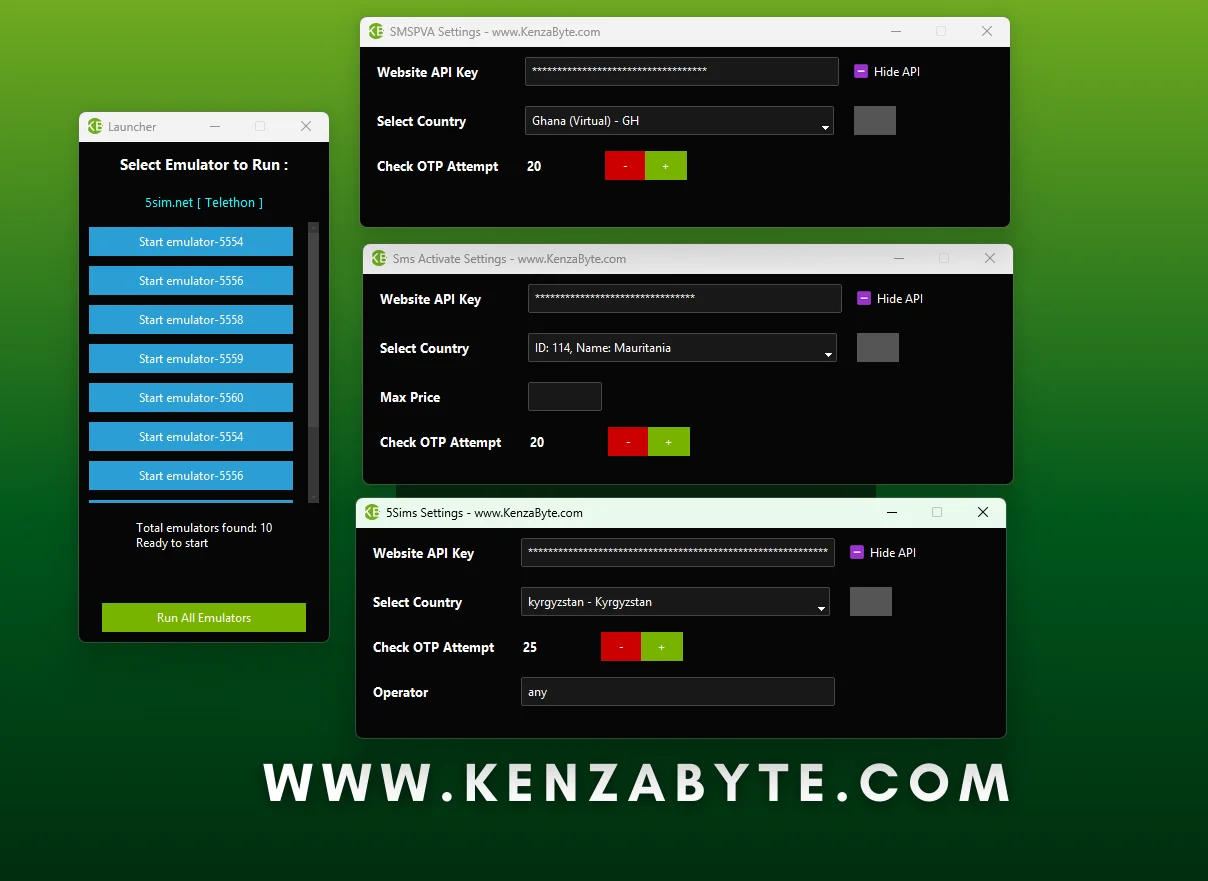
Step 2: Add SMS API
Connect your SMS provider by adding your API details.
The tool uses this to get the Number and receive OTP codes for Telegram numbers automatically.
Without it, the tool can’t verify phone numbers.
Step 3: Add Email Credentials
Enter your Gmail address and app password.
The tool uses these to auto-verify emails during signup, so you don’t have to manually check your inbox.
Step 4: Enable Auto Email Verification
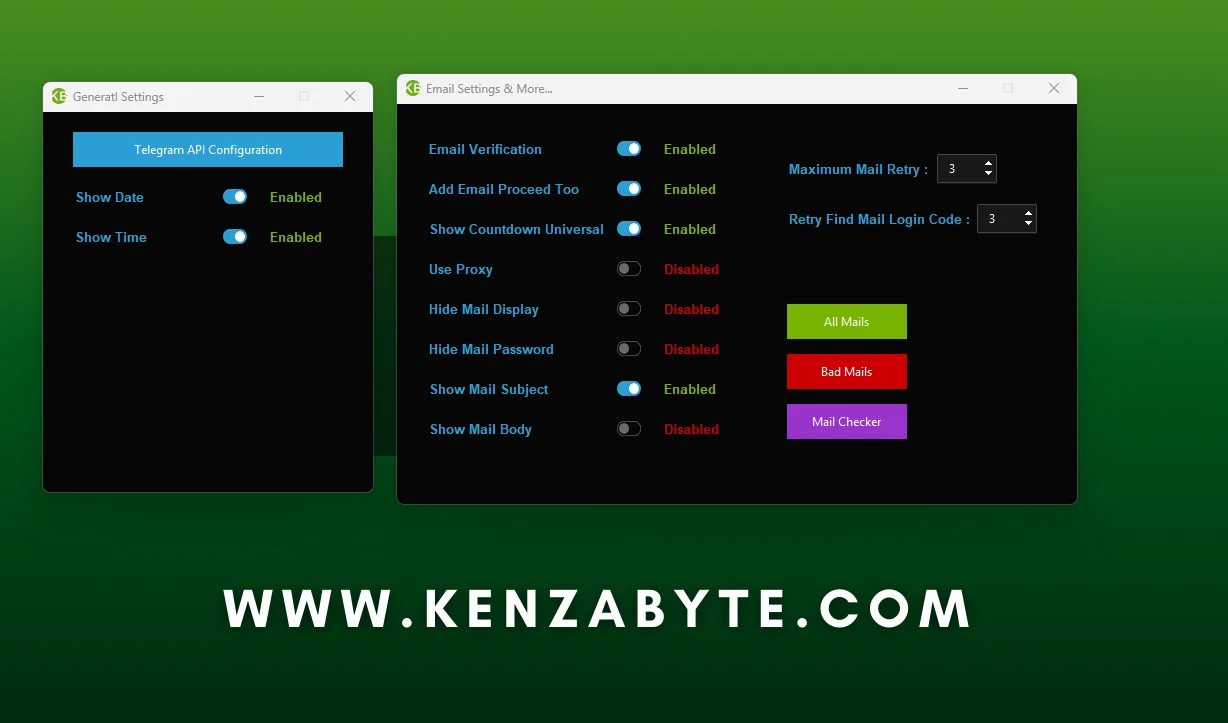
Turn on the email auto verification option.
This ensures every account created by the tool automatically receives and submits the email code, saving time and effort.
Step 5: Click Start to start the process.
Hit “Start Bot” and let the tool do its job. It handles:
- Number purchase from your SMS provider automatically
- OTP verification automatically
- Email verification automatically
- Telegram sign-up automatically
- Convert to sessions automatically
✅ That’s it.
The process is fully automated. You don’t touch the inbox, type codes, or do any manual work.
Once it finishes, you can create unlimited Telegram accounts, and all sessions will be saved and ready to use in other tools.
What Happens After the Account Is Created?
After the account creation process is complete:
- The Telegram account is successfully created
- The email is already verified automatically
- No need to verify the email again. It’s already done
- The login session is saved by the tool
- You can use these Accounts sessions in other Telegram tools easily.
How to Get the Tool?
This is just an explanation of how to use the email auto verification setting in our Telegram Account Creator.
It shows how the feature works and helps you understand the process.
If you’re curious about buying our tool and want to learn everything, we provide:
- Full guide + Video tutorials
- Advanced setups
- Updates
- Free Remote Setup/Help (if required)
- Free support for all our customers
we’re here to assist you. The tool is easy to use, and we provide all guides and support after purchase so you can learn and start using it immediately without any hassle.
Common Email-Related Questions :
No. You don’t need to log in, open Gmail, or copy any code.
Once email auto verification is enabled, the tool reads the verification email and completes the process automatically.
If an email verification attempt fails, the tool retries using the available email credentials you’ve added.
You don’t need to intervene or restart the process manually.
Yes, in many cases, the same email can be reused.
Telegram decides whether an email can be reused or not based on the phone
number andthe signup flow. the tool simply follows Telegram’s rules.
There is no fixed limit set by Telegram or Gmail.
Yes, the same Gmail account can be reused multiple times for Telegram email verification. Some phone numbers don’t require email at all.
When an email is required, the tool automatically handles it using the available Gmail.
Best Practice for Bulk Account Creation
For smooth bulk creation, we recommend:
- Start with around 5-10 Gmail accounts
- tool will auto-rotate emails instead of relying on just one
Why this works:
- Using the same email too frequently can trigger temporary limits
- Multiple emails provide a natural cool-down time
- Reuse continues smoothly without interruptions
This setup improves the success rate and keeps the entire process fully automated.
No.
Some numbers complete the signup without email, while others trigger an email verification step.
When an email is required, the tool handles it automatically. When it’s not required, the tool skips it.
No. This is exactly why the auto email verification feature exists.
When Telegram asks for email verification, the process continues automatically without breaking the flow.
No. You can start with a small number of email credentials, such as 1-2, as a starter and scale later if needed.
The tool uses available emails only when Telegram asks for verification.