Difference Between Telegram Channel and Group
This article explains how channels and groups function inside Telegram, focusing on communication flow, visibility, features, and real usage patterns. It is structured to clarify how each behaves in practice and when each should be used.
How does a Telegram Channel differ from a Telegram Group?
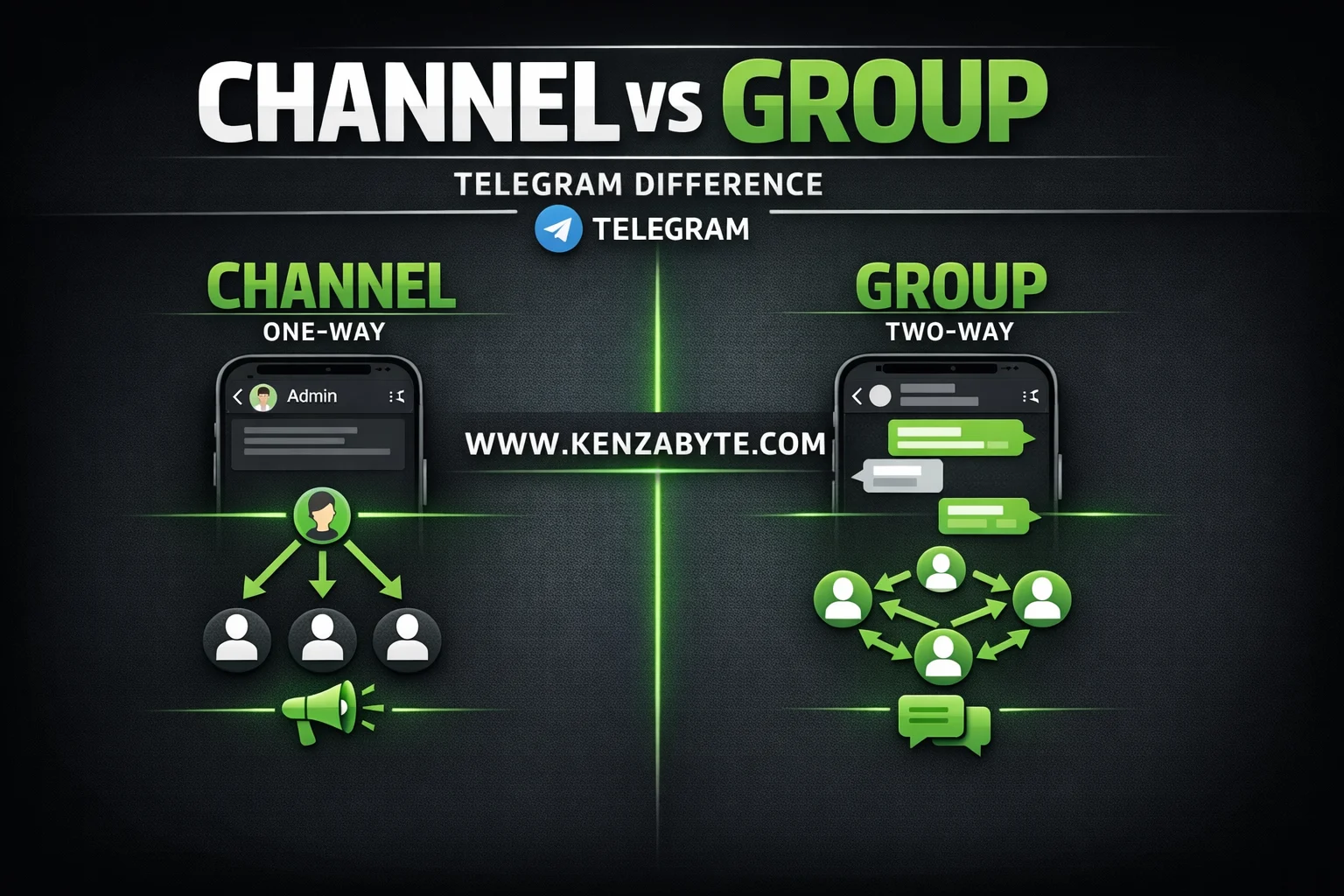
Channels and groups are built for different communication purposes.
A channel is designed for broadcasting information from a single source to a large audience.
A group is designed for interaction where multiple participants communicate with each other.
This difference impacts message flow, user visibility, control, and scalability.
How do Telegram Channels work?
Channels follow a one-way communication model. Only admins send messages, and all subscribers receive them.
From a user perspective, a channel behaves like a content feed:
- Users join and receive updates
- Users cannot post messages
- Content consumption is passive
Example:
A news channel publishes daily headlines. Subscribers read updates without replying.
Core behavior
- One-way broadcast (admin → subscribers)
- No user-generated message flow
- Centralized content control
How is member privacy handled in channels?
Channels are designed to hide user identity:
- The subscriber list is not visible
- Only the total subscriber count is shown
This enables large-scale distribution without exposing participants.
How to identify a Telegram Channel?
A channel can be identified by its structure:
- Count labeled as “subscribers.”
- No visible member list
- Messages only from admins
- Appears like a feed, not a conversation
- Used for announcements and updates
What features do Telegram Channels provide?
Channels include features optimized for broadcasting:
- Broadcast-only messaging
- Unlimited subscribers
- Scheduled posts
- View counts and engagement statistics
- Optional reactions and comments (via linked groups)
These support structured and controlled content delivery.
How do Telegram Groups work?
Groups follow a two-way or multi-way communication model. Members can send messages and interact.
From a user perspective, a group behaves like a live chat:
- Multiple users send messages
- Conversations happen continuously
- Interaction is active
Example:
A study group where members discuss topics, ask questions, and share resources.
Core behavior
- Multi-directional communication
- Continuous message exchange
- Distributed content creation
How is member visibility handled in groups?
Groups usually expose participant identity, but admins can restrict visibility using hidden member settings:
- The member list is visible
- Users can view and interact with others
- Admins are always identifiable
Even with restricted settings, full anonymity like channels is not standard.
How to identify a Telegram Group?
A group shows clear interaction signals:
- Count labeled as “members.”
- Visible participant list
- Messages from multiple users
- Active replies and discussions
- Can be restricted to admin-only posting if configured
What features do Telegram Groups provide?
Groups include features designed for interaction:
- Real-time messaging
- Support for up to 200,000 members
- Admin roles and permission controls
- Media, file, and link sharing
- Replies, mentions, and threaded discussions
These enable collaboration and communication.
What are the main use cases for Channels and Groups?
Channels
- News distribution
- Public announcements
- Content publishing (media, updates, links)
- Brand or organization communication
Groups
- Community discussions
- Team collaboration
- Support and Q&A
- Interest-based conversations
Channels prioritize reach. Groups prioritize interaction.
What features are shared between Channels and Groups?
Both structures share core platform capabilities:
- Admin roles and permissions
- Pinned messages
- Message editing
- File and media sharing
- Polls and reactions
- Invite links and join requests
- Bot integration for automation
- Hashtags and search support
- Multi-device access
- Security features such as two-step verification
These features behave consistently but are applied differently depending on structure.
What constraints should be considered?
Channels
- No native discussion layer
- Limited direct engagement
- Fully dependent on admin activity
Groups
- High message volume at scale
- Requires moderation for quality control
- Conversations can become unstructured
When should a Channel or Group be used?
Use a channel when:
- Information must be controlled and consistent
- Audience size is large
- Interaction is not required
Use a group when:
- Discussion and participation are required
- Members need to collaborate
- Real-time interaction is important
Final understanding
Channels and groups are distinct communication systems within Telegram.
A channel is optimized for controlled broadcasting.
A group is optimized for user interaction.
The correct choice depends on how information should flow and how users are expected to engage.

Arabella Montrose
I have over 8 years of experience in content writing, specializing in Telegram automation, user-friendly tools, and social media marketing services. I work closely with the Kenza Byte team to ensure every article I write is accurate, clear, and genuinely helpful for users and businesses focused on digital growth.