How to Set Up an Emulator for Telegram Automation (Complete Guide)
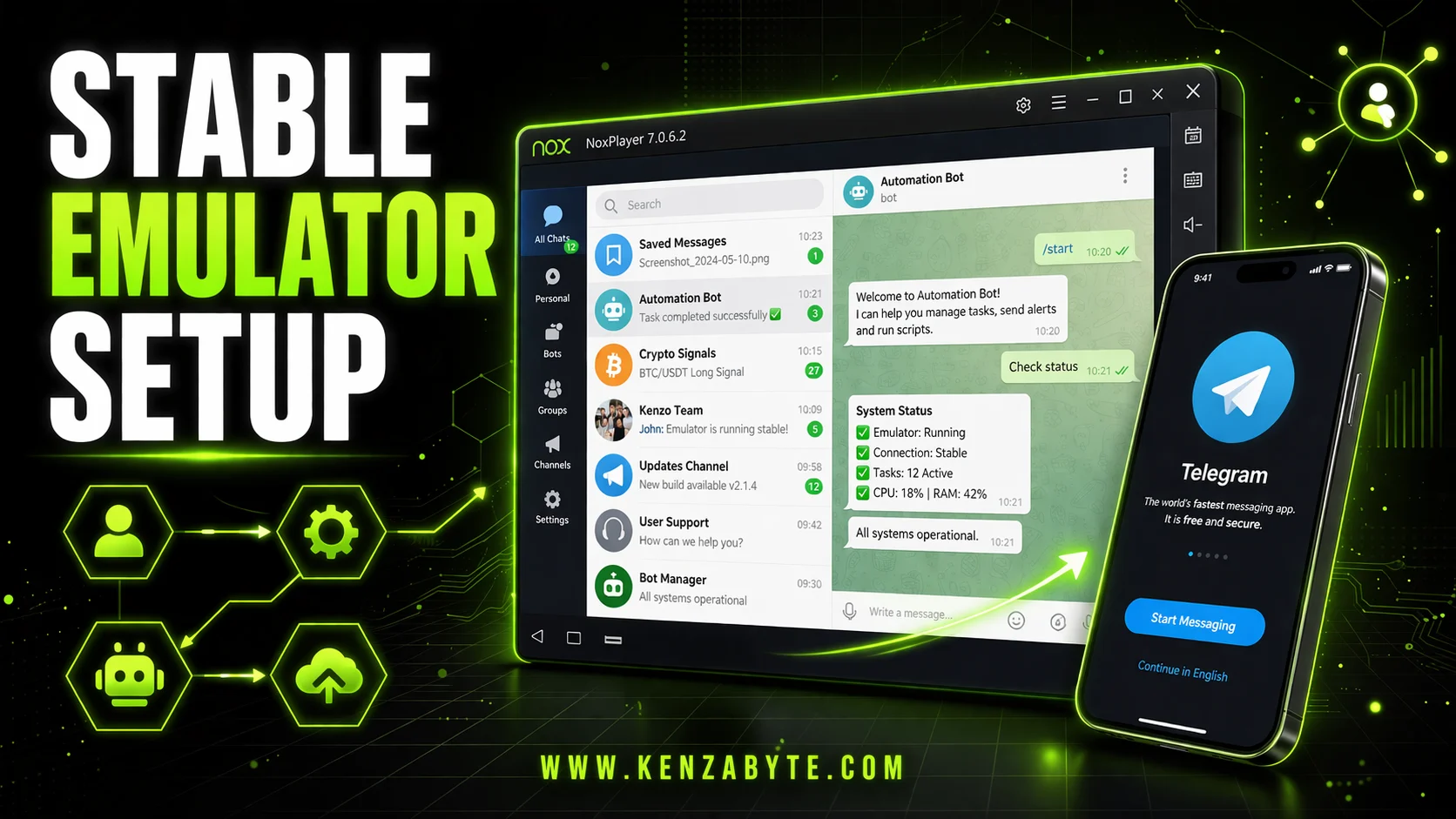
This article explains how to configure an Android emulator for Telegram automation as a stable execution environment. It covers installation constraints, ADB setup, performance optimization, and failure causes, with a focus on building a consistent system for long-running automation tasks.
Why Is the Emulator the Execution Layer in Telegram Automation?
In Telegram automation, the Android emulator functions as the runtime layer where all actions execute. Account workflows, OTP handling, and session reuse depend on how this virtual device behaves under load.
Instability at this level results in:
- UI interaction failures
- Delayed OTP processing
- Application crashes
- Inconsistent automation output
The objective is not just to run the emulator, but to maintain a predictable and controlled execution environment.
What Are the System Requirements for Emulator Installation?
The installation phase defines whether the system can support automation reliably.
A proper setup requires:
- Hardware virtualization enabled at the BIOS level
- Sufficient disk space for multiple instances
- Compatible CPU and GPU drivers
If virtualization is disabled, the emulator falls back to software rendering. This introduces high latency and makes automation unreliable, especially during UI-driven tasks.
Installation must complete without degraded modes or missing components. Any compromise here affects all downstream processes.
How Should a Base Emulator Instance Be Configured?
After installation, a base Android instance must be created. This instance acts as the template for all automation runs.
Key configuration points:
- Fixed language and region to avoid UI variation
- Stable internet connection without switching networks
- Removal or disabling of unnecessary preinstalled apps
This stage reduces background noise. A minimal environment ensures that only required processes consume resources during execution.
What Core Settings Are Required for Emulator Automation?
Consistency is critical. The emulator must operate under fixed parameters across all runs.
Display and Resolution
Use standard resolutions. Uncommon values can distort layouts and break coordinate-based or element-based automation.
Consistency in display ensures predictable UI mapping.
Device Profile Consistency
Select a single device model and retain it. Changing profiles alters system identity and may affect application behavior or session handling.
Automation depends on a stable device fingerprint.
System-Level Preferences
Disable non-essential system features:
- Auto-updates
- Background sync
- System notifications
These processes introduce unpredictable CPU and network usage, which interferes with automation timing.
How Does Resource Allocation Affect Emulator Performance?
Automation performance is tied directly to how resources are distributed.
CPU Allocation
Assign enough cores for smooth rendering and task execution. Over-allocation creates contention at the host level, especially when running multiple emulator instances.
Balance is required between emulator demand and host capacity.
Memory (RAM) Allocation
Each instance must have sufficient memory to avoid:
- Application freezes
- Input lag
- Forced restarts
Memory starvation is a common failure point in multi-instance setups.
Graphics Rendering Mode
Choose a rendering mode compatible with the system (OpenGL or DirectX). Incorrect selection can cause:
- Visual glitches
- Frame drops
- UI detection errors
Rendering stability directly affects automation accuracy.
Why Is ADB Required for Emulator Automation?
Android Debug Bridge (ADB) is the control interface between the automation system and the emulator.
It enables:
- Instance detection
- Command execution
- Data exchange
Configuration requires:
- Enabling developer options
- Activating ADB/USB debugging
- Allowing external connections
Without ADB, the emulator cannot be controlled programmatically, making automation infeasible.
How Do You Maintain Emulator Stability for Long Runs?
Automation tasks often run continuously. The emulator must remain stable without manual intervention.
Background Process Control
Disable:
- Notifications
- Background applications
- Auto-sync services
These processes create intermittent interruptions and resource spikes.
Power and Activity State
Ensure the emulator does not enter sleep or paused states. Any interruption halts automation and may corrupt execution flow.
Configuration Locking
Do not modify emulator settings during active runs. Even small changes can introduce inconsistencies across sessions.
Stability is achieved through strict environmental control, not dynamic adjustment.
How Should Telegram Be Prepared Inside the Emulator?
Before automation begins, the application layer must be validated.
Required checks:
- Telegram installs and launches correctly
- No residual sessions or login conflicts
- UI loads without rendering issues
In controlled workflows, clearing app data between runs ensures a fresh state and prevents state leakage across automation cycles.
What Should Be Checked Before Running Automation?
Before starting automation, the full system must be verified.
Critical checks:
- Emulator responds without lag under basic interaction
- Network connection is stable and has low latency
- ADB connection is active and responsive
- Telegram app behaves normally
Issues at this stage indicate structural instability. If ignored, they propagate into larger automation failures.
What Causes Failures in Emulator-Based Automation?
Most failures originate from predictable system issues:
- CPU and RAM misallocation
- Background processes are consuming resources
- Inconsistent device or resolution settings
- ADB connection instability
- Disabled or misconfigured virtualization
In multi-instance environments, CPU contention and memory pressure become dominant failure factors.
Network instability can also delay OTP delivery, affecting time-sensitive workflows.
System Design Constraints
Telegram automation using emulators operates under fixed constraints:
- The environment must remain deterministic
- Resource usage must stay within host limits
- Device identity must remain consistent
- External communication (ADB) must be reliable
Violating any of these constraints introduces unpredictability into the system.
High-Level Setup Model
A stable emulator-based automation system follows a layered structure:
- Installation Layer: Clean setup with virtualization enabled
- Environment Layer: Minimal base instance with reduced background activity
- Configuration Layer: Fixed resolution, device profile, and system settings
- Performance Layer: Balanced CPU, RAM, and graphics configuration
- Control Layer: Functional ADB integration
- Stability Layer: No background interference and consistent runtime state
Each layer builds on the previous one. Skipping any layer introduces instability.
End-to-end integration of these layers into a coordinated execution system is defined to create a Telegram account creator, where emulator configuration, OTP handling, and execution control operate as a single structured workflow.
Conclusion
An Android emulator in Telegram automation is not a simple tool but a controlled execution environment.
Reliable operation depends on:
- Proper installation with hardware support
- Consistent and minimal configuration
- Balanced resource allocation
- Stable ADB communication
- Strict control over runtime conditions
Automation reliability is determined by the environment design. If the emulator layer is unstable, no higher-level logic can compensate for it.

Arabella Montrose
I have over 8 years of experience in content writing, specializing in Telegram automation, user-friendly tools, and social media marketing services. I work closely with the Kenza Byte team to ensure every article I write is accurate, clear, and genuinely helpful for users and businesses focused on digital growth.