Telegram BotFather: Complete Guide for Beginners
Telegram BotFather is the official tool to create and manage Telegram bots. In this blog, you’ll learn what Telegram BotFather is, how to find it, create bots safely, and why businesses and individuals use it to automate tasks, engage users, and save time. By the end, you’ll know how to start building your own Telegram bots confidently.
What is Telegram BotFather?
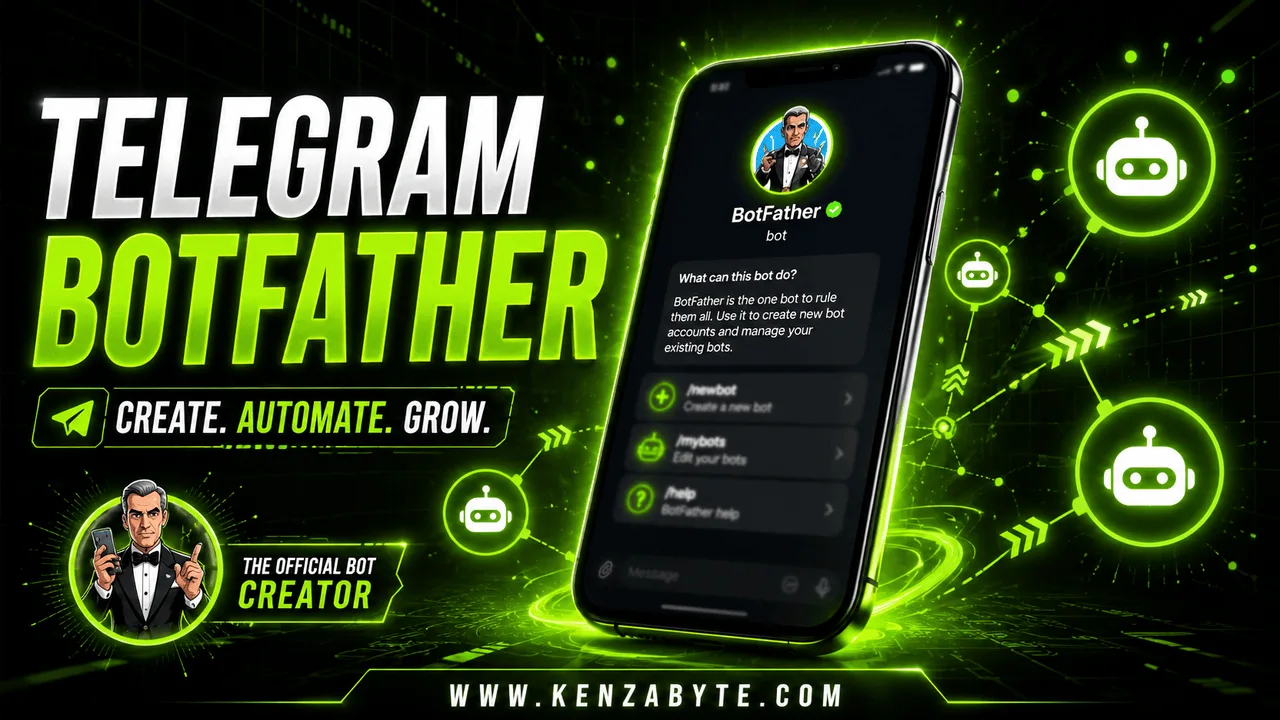
Telegram BotFather is the official bot from Telegram that lets you create, configure, and manage your own bots. Every bot you see on Telegram starts here.
Key points:
- Official and safe
- Works for individuals and businesses
- Provides bot tokens to connect bots to APIs or automation tools
For more details on Telegram bots in general, see our complete guide on Telegram bots.
Who is Telegram BotFather?
Telegram BotFather is the essential starting point for creating any Telegram bot. Telegram BotFather is an official automated bot provided by Telegram. It acts as your guide and manager when setting up a new bot.
Every Telegram bot you see begins with BotFather. It allows you to:
- Create new bots
- Manage bot settings (name, description, profile picture)
- Generate and manage bot tokens
- Update commands for your bot
Think of BotFather as the control center for your bots. Without it, you cannot make a bot work on Telegram.
How to Find Telegram BotFather
BotFather is completely free and safe, as it is an official Telegram service.
Finding BotFather is simple:
- Open your Telegram app.
- Tap on the search bar and type “BotFather”.
- Look for the official bot verified by Telegram (blue checkmark).
- Start a chat with BotFather to begin creating bots.
Direct link to Telegram BotFather: t.me/BotFather
What is a Telegram Bot Token?
Once you create a bot with BotFather, it gives you a Telegram bot token. This token is a unique string of letters and numbers that acts like a key for your bot.
It connects your bot to the Telegram servers and allows it to send messages, receive commands, and perform automated tasks.
Example of a Bot Token: 123456789:ABCdefGhIJKlmNoPQRstuVWXyz
What You Can Do With a Bot Token:
- Connect your bot to your app or server using the Telegram Bot API
- Send notification messages to users
- Build interactive features like quizzes, polls, and notifications
- Integrate with other tools for business automation
How to Keep Your Token Safe:
Your bot token is sensitive information. If someone else gets it, they can control your bot. Here’s how to stay safe:
- Never share your token publicly (like forums or social media)
- Regenerate the token in BotFather if you think it’s compromised
- Use secure server environments when connecting the token to apps
- Avoid storing it in plain text in publicly accessible files
Demo Look of a Bot Token:
When you generate a token in BotFather, it looks like this in your chat:
Here is your bot token. Keep it safe! 123456789:ABCdefGhIJKlmNoPQRstuVWXyz
Is Telegram BotFather Safe?
Yes, Telegram BotFather is completely safe:
- Official Telegram bot ✅
- Only used for bot creation and management
- Generates unique bot tokens securely
- No personal data is required outside Telegram
is Telegram BotFather Free?
Yes! Creating bots with Telegram BotFather is 100% free.
- Unlimited bots
- Full access to Telegram bot features
- Optional third-party paid integrations
How to Add a Bot Using Telegram BotFather
- Start BotFather in Telegram.
- Type
/newbotand send. - Give your bot a name and username.
- Receive a unique token to connect your bot to APIs or tools.
- Use the token to configure your bot, automate tasks, and engage users.
Telegram BotFather Features
/newbot: Create a new bot/mybots: List all bots you manage/setdescription: Add a bot description/setabouttext: Set about info/setuserpic: Add profile picture/revoke: Revoke bot token if compromised/deletebot: Delete bot permanently
Tip: Keep your bot token safe, as it provides full access.
Why Use Telegram BotFather?
For Individuals:
- Automate reminders and notifications
- Run quizzes, polls, or interactive commands
- Manage personal Telegram, groups
For Businesses:
- Automate customer support
- Send updates, alerts, and newsletters
- Reduce repetitive tasks and errors
Explore our comprehensive Telegram Bot Development services to automate your workflows efficiently.
Examples of Bots Made with Telegram BotFather
- @PollBot – Create polls in groups
- @TriviaBot – Fun quizzes for engagement
- @FeedReaderBot – Blog or news updates
- @WeatherBot – Automatic weather alerts
FAQs About Telegram BotFather
Is Telegram BotFather official?
Yes, provided by Telegram.
Can I create multiple bots?
Yes, unlimited bots are allowed.
Do I need coding knowledge?
No, setup is simple; advanced features may require coding.
Can businesses use Telegram BotFather?
Absolutely, for automation and engagement.
Is there a separate app?
No, it works inside Telegram only.
Next Steps
Once you understand Telegram BotFather, start creating your own bots to automate tasks. For detailed step-by-step guidance, see How to Make a Telegram Bot.
Conclusion
Telegram BotFather is essential for anyone looking to create bots. It’s safe, free, and allows both individuals and businesses to automate tasks, engage users, and save time. Whether for fun, productivity, or business use, BotFather is the foundation of all Telegram bot development.

Arabella Montrose
I have over 8 years of experience in content writing, specializing in Telegram automation, user-friendly tools, and social media marketing services. I work closely with the Kenza Byte team to ensure every article I write is accurate, clear, and genuinely helpful for users and businesses focused on digital growth.